Find your Quests and pick up where you left off
See the Quests your teacher gave your Tribe, and open the lesson where you stopped.
Your teacher gives your Tribe Quests. A Quest can be a whole course, one of its modules, or a single lesson, and it usually has a due date. Keep Coding takes you back to the lesson where you stopped.
Find your Quests
- In the sidebar, under TRIBES, select your Tribe's picture.
- The Quests tab lists your Tribe's Quests, each with its name and due date.
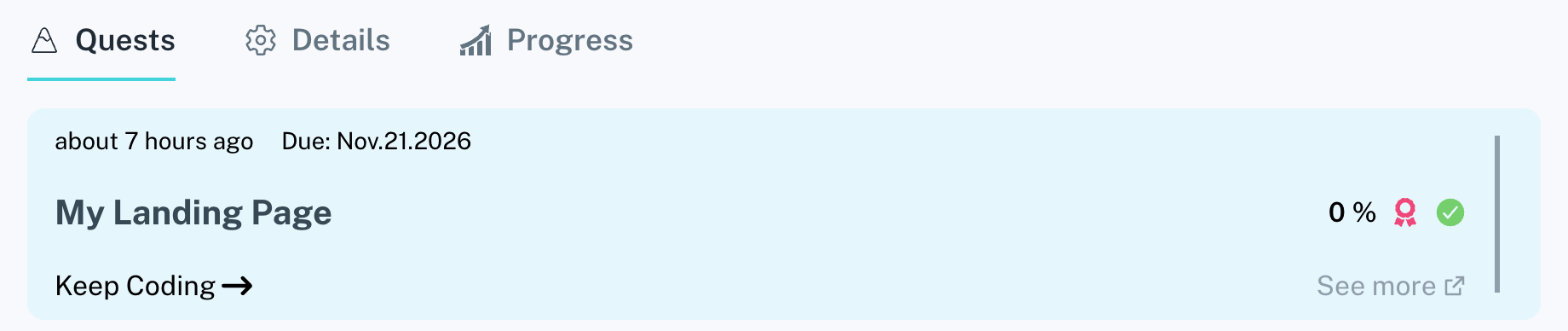
To see a Quest's teachers and the course it's from, select the Quest or See more. Its page has its own Keep Coding.
Pick up where you left off
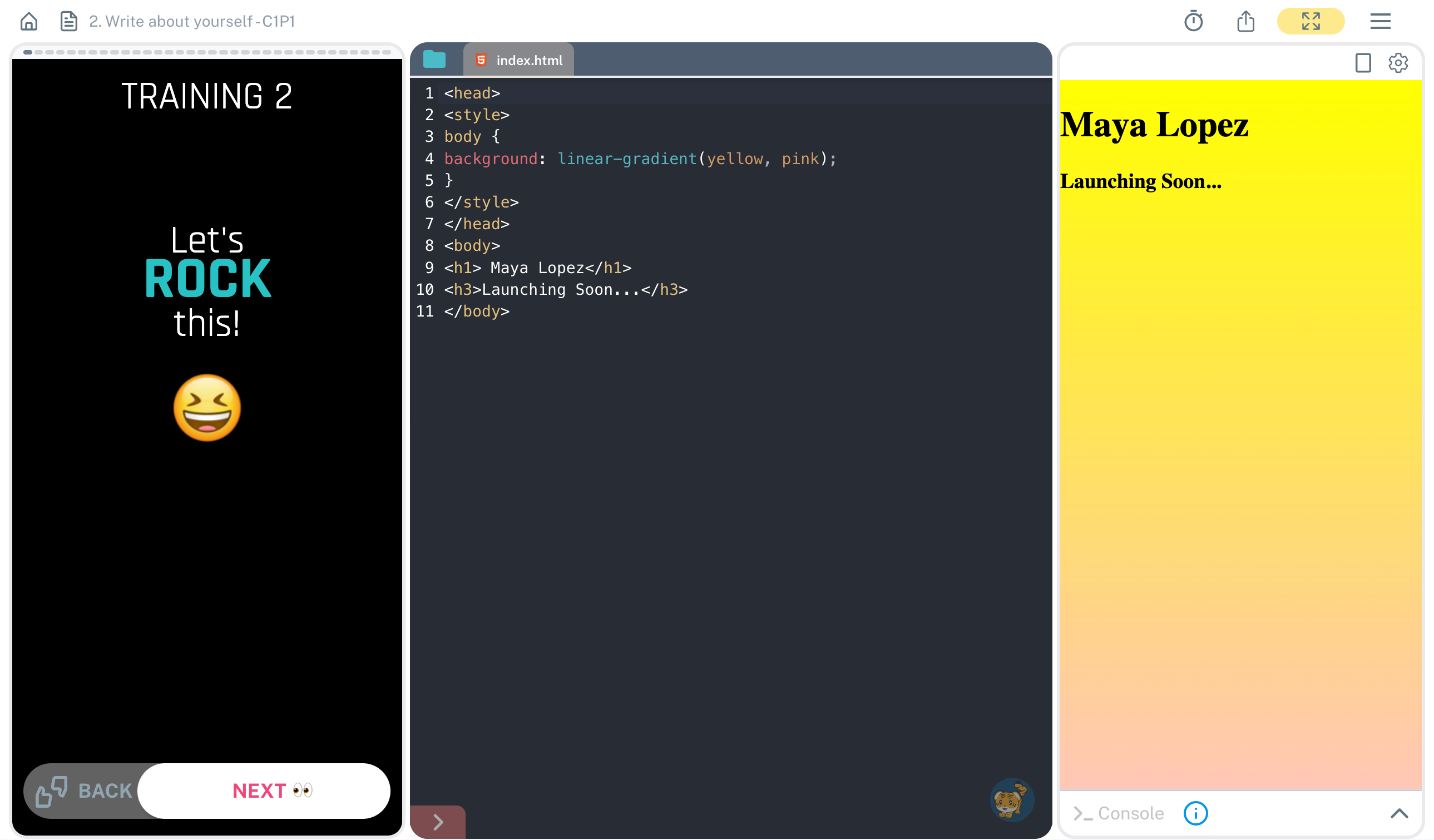
On a Quest, select Keep Coding. The code panel opens at the last lesson you opened in that Quest, with your code. If you haven't started the Quest yet, it opens the Quest's first lesson.
Next, do the lesson.